
In today’s compact computing landscape, Mini-ITX motherboards have gained immense popularity for their small footprint, energy efficiency, and versatile functionality. Whether you're building a space-saving desktop, an embedded system, or an industrial solution, Mini-ITX motherboards deliver powerful performance in a compact form factor.
However, as with any high-performance hardware, issues can occasionally arise during setup, operation, or maintenance. This guide will walk you through the most common problems encountered with Mini-ITX motherboards — and how to fix them effectively. It also highlights how YENTEK®, a leading high-tech enterprise focused on industrial computing, supports users with reliable Mini-ITX solutions and technical expertise.
Understanding the Mini-ITX Platform
Before diving into troubleshooting, let’s quickly understand what Mini-ITX is. Mini-ITX is a 170mm x 170mm motherboard form factor designed for embedded and small form factor (SFF) PCs. It supports standard I/O ports, has low power consumption, and is ideal for:
Industrial control systems
Digital signage
Edge computing
IoT gateways
Compact consumer PCs
Companies like YENTEK® have elevated the Mini-ITX platform with rugged, customizable, and industrial-grade motherboards built for 24/7 operation in mission-critical environments.
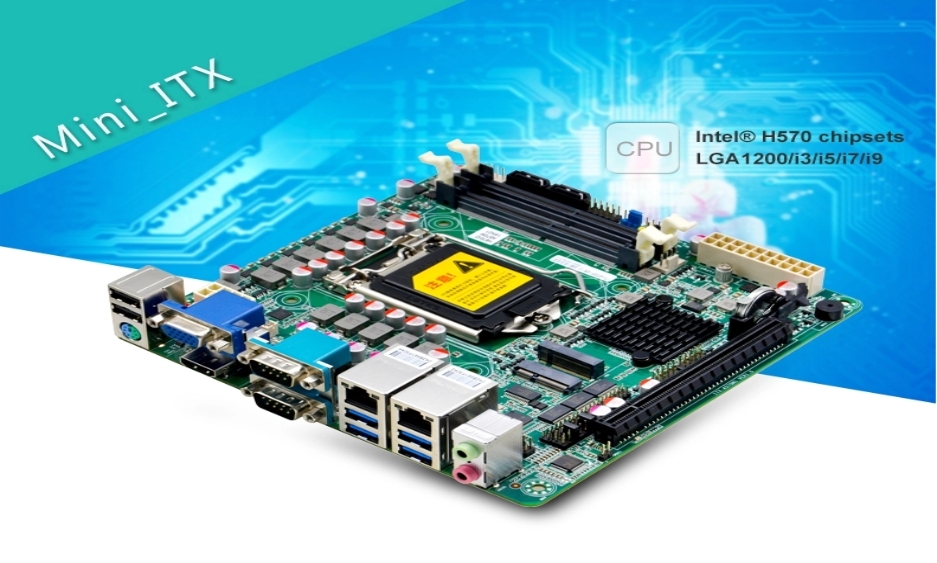
Common Mini-ITX Motherboard Issues and How to Solve Them
1. No POST (Power-On Self Test) or Boot Failure
Symptoms:
System powers on but no display
Beep codes or no beeps at all
Fans spin, but no BIOS access
Possible Causes and Solutions:
RAM not seated properly: Reseat the RAM or test with another compatible stick.
Power supply mismatch: Ensure the PSU provides the right voltage (especially for 12V/24V industrial systems).
CMOS issues: Clear CMOS by removing the battery or using the onboard jumper.
CPU incompatibility: Check if the CPU is supported by the motherboard’s chipset and BIOS version.
YENTEK® Tip: YENTEK's Mini-ITX boards undergo rigorous validation for CPU and RAM compatibility and feature BIOS-level diagnostics to assist in early fault detection.
2. Overheating and Thermal Throttling
Symptoms:
System slowdown under load
Automatic shutdowns or restarts
High CPU temperature readings in BIOS
Solutions:
Ensure proper airflow in the enclosure
Clean dust from heatsinks and fans
Apply fresh thermal paste on the CPU
Use industrial-grade cooling solutions for high-temperature environments
YENTEK® Edge: YENTEK’s Mini-ITX motherboards are designed with extended temperature support and passive or active cooling options suitable for harsh industrial settings.
3. Peripheral and USB Device Failures
Symptoms:
Introducing the Fusion Binocular for Day/Night Battlefield Observation Among the electro-optical products developed under the HONG KONG JINZHUO INDUSTRY LIMITED knowledge base, the Fusion Binocular Integrating Low-Light Level Imaging and… With the widespread adoption of smart transportation, intelligent parking, and logistics warehousing systems, vehicle RFID readershave become essential core equipment for traffic identification and access control. Whether it's ETC toll…Handheld Fusion Binoculars: Four-Mode Night Vision Reviewed

Do Vehicle RFID Readers Work Properly in Extreme Weather